🚀 Level Up Your Business: The Simple Guide to CRM and ERP for SMEs
Hey, Are You Feeling the SME Struggle?
If you run a small or medium-sized business, you know the drill. One minute you’re celebrating a big sale, the next you’re drowning in spreadsheets, trying to figure out if you have enough inventory to fulfill the order while also remembering to follow up with that lead who called last week.
It’s exciting, but let’s be honest—it’s also a chaotic juggle!
For years, many of us small business owners thought that big, fancy business management software was only for the giants like Apple or Amazon. We figured, «We’re too small for that Enterprise Resource Planning (ERP) stuff.»
But things have changed!
As a digital creator who has been in the trenches (my name is Elizabeth, by the way!), I’ve seen firsthand how adopting the right tech—specifically CRM (Customer Relationship Management) and ERP systems—isn’t just a nice-to-have; it’s the secret ingredient to not just surviving, but truly thriving as an SME.
This guide is going to break down these confusing acronyms into plain, simple English. We’ll show you exactly how this tech can make your business run smoother, faster, and much more profitably. Think of this as your friendly, no-jargon roadmap to business efficiency.
🤝 The Two Power Players: CRM vs. ERP
To start, let’s look at the two tools that will transform your business. They sound similar, but they handle very different, yet equally important, jobs.
1. CRM: Your Customer’s Best Friend
Think of a CRM system as your business’s ultimate memory and social hub.
- What it is in simple terms: It’s a dedicated, smart place to store everything about your customers and potential customers.
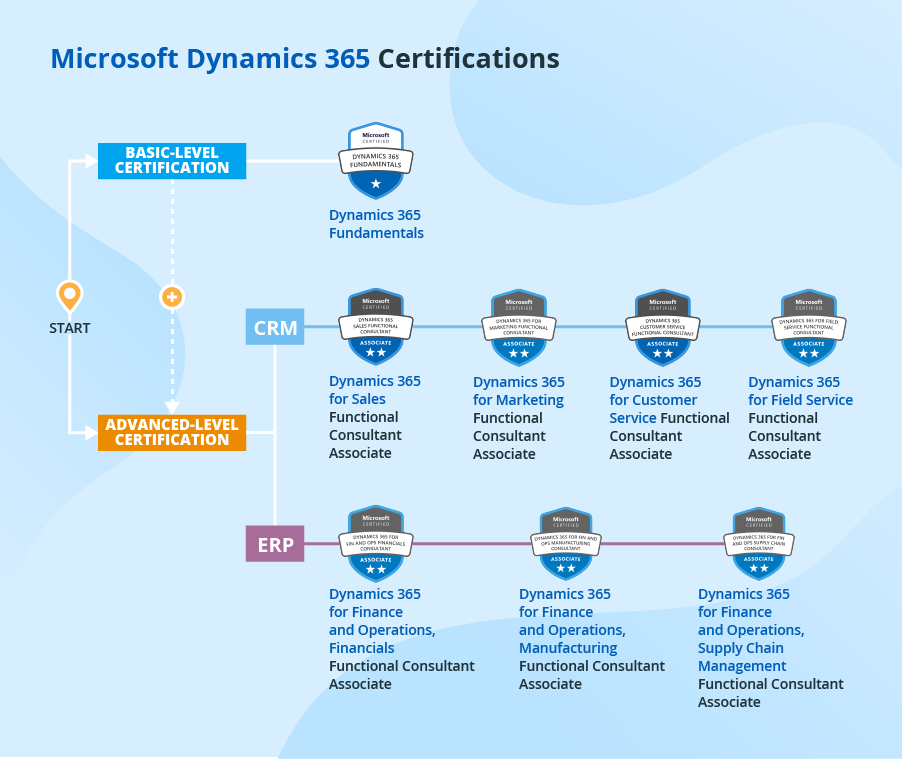
- What it handles: It manages the front end of your business—sales, marketing, and customer service.
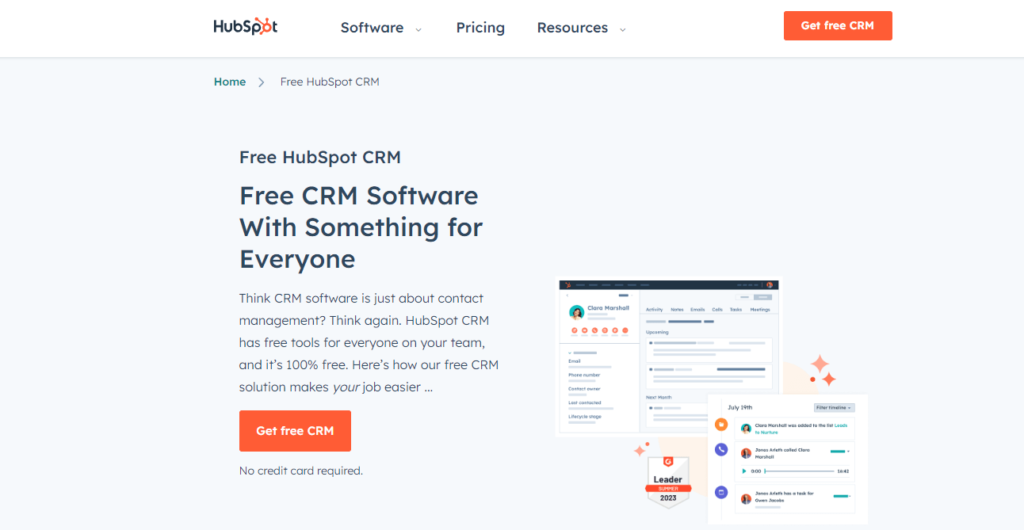
- A real-life example: Before I used a CRM, I had client notes scattered in my email drafts, a physical notebook, and my calendar. A potential client once fell through the cracks because I forgot to send the final proposal. With a CRM platform (like HubSpot or Salesforce), every email, every call, and every interaction is automatically logged. When a client calls, I instantly see their entire history, making me look professional and helping me give personalized service. That’s how you build customer loyalty!
The big takeaway: A CRM system helps you sell more and keep your customers happy.
2. ERP: The Engine Room Manager
If the CRM is the customer-facing part, the ERP system is the behind-the-scenes engine that keeps everything running smoothly.
- What it is in simple terms: It’s a single system that connects and manages all the core operational parts of your business.
- What it handles: It manages the back end—finance, HR, production, supply chain, and inventory control.
- A real-life example: Remember that order juggling I mentioned? An ERP solution (like SAP Business One or NetSuite) ties together my accounting software, my warehouse management, and my purchasing. When a sale comes in (from the CRM!), the ERP instantly checks the stock levels, automatically alerts the shipping team, and updates the financial records. No more manual data entry or running around shouting!
The big takeaway: An ERP system helps you save money by making your operations super-efficient.
📈 How These Systems Help Your SME Truly Thrive
Using a CRM and ERP system together is where the magic happens. They stop your business from feeling like a bunch of separate departments and turn it into one smooth, well-oiled machine. This is the essence of business process management.
1. Get a Clear Picture of Your Whole Business (Data Integration!)
- The Problem: You have data everywhere—sales numbers here, expense reports there.
- The Solution: When your CRM talks to your ERP, all your business data lives in one place. You get a holistic view of your entire company. You can see how much a successful marketing campaign (tracked in the CRM) actually cost (tracked in the ERP) and how much profit it generated. This makes decision-making so much smarter.
2. Master Inventory and Fulfill Orders Flawlessly
- The Problem: Overselling products you don’t have, or having too much stock sitting on the shelf gathering dust.
- The Solution: The ERP handles inventory management in real-time. The moment your sales team closes a deal in the CRM, the ERP reserves that product. You know exactly what you have, what you need to order, and when. This massively improves your operational efficiency and customer satisfaction.
3. Save Time by Cutting Out Tedious Tasks (Automation!)
- The Problem: You or your team spend hours copying data from one system to another.
- The Solution: Both systems are kings of automation.
- CRM Automation: Automatically sends a «Thank You» email after a purchase.
- ERP Automation: Automatically generates an invoice and updates the general ledger as soon as an item ships.
- My Insight: Freeing up my team from boring, repetitive tasks allowed them to focus on high-value work, like brainstorming new product ideas or spending extra time on a complicated client issue. That’s the real win!
4. Build Deeper Customer Relationships
- The Problem: Customers feel like they have to explain their issue every time they call.
- The Solution: With a CRM, every employee has access to a complete customer history. If a customer previously ordered product A, your sales team knows to suggest accessory B next time. This level of personalization makes customers feel valued, which is the cornerstone of long-term growth.
💡 Practical Steps to Get Started (No Fear!)
Implementing new software can feel daunting, but you don’t have to bite off more than you can chew.
Phase 1: Start Simple with CRM
- Define Your Pain Points: Ask yourself: «Where are we losing customers or missing follow-ups?» This is the customer journey you need to fix.
- Choose a Scalable Solution: Start with a platform that has a free or low-cost tier designed specifically for small business management. Look for user-friendly interfaces.
- Focus on Sales: Initially, just use the CRM to track all your leads, contacts, and deals. Forget the complicated marketing features for now—just master the basics.
Phase 2: Introduce ERP When Needed
- Look for Financial Chaos: If your biggest headache is juggling your accounts payable, financial reporting, and inventory, it’s time for an ERP.
- Consult an Expert: ERP implementation is more complex than CRM. It’s often worth hiring a consultant or choosing a vendor that offers dedicated implementation support to make sure the transition is smooth.
- Go Modular: Many modern ERP systems are modular. You can just buy the financial management module first, and add the human resources (HR) or supply chain management module later as your business grows.
Elizabeth’s Honest Tip: Don’t try to customize everything right out of the box. Start with the software’s basic settings, use it for a month, and then decide what needs to be changed. Simplicity leads to higher user adoption.
🎉 Conclusion: Your Future is Integrated and Organized!
If you’re an SME owner ready to move past the chaos of scattered data and manual processes, investing in a robust CRM and ERP system is the most powerful step you can take. These tools aren’t just for the Fortune 500 anymore; they are the digital transformation tools that give small and medium businesses the structure, data, and efficiency needed to compete and win.
You are already an incredible entrepreneur. Now, give yourself the digital tools to match your ambition. Embrace the tech, integrate your processes, and watch your business soar!
Ready to start simplifying your business life? Why not spend 15 minutes today researching the top three small business CRM options? Knowing your choices is the first step toward a more organized, profitable tomorrow!